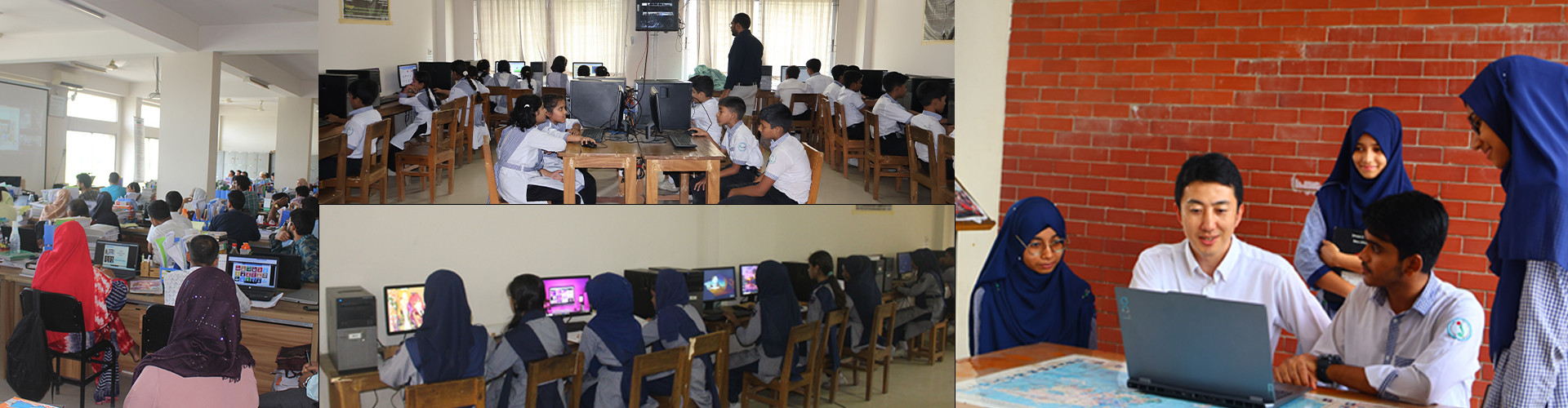
Internet safety for students such as protecting personal information, avoiding cyberbullying and staying away from inappropriate content. Everyone needs to be more focused on internet safety for students.
What is internet safety?
Internet safety, also known as online safety, cyber safety, or e-safety, refers to the policies, practices, and processes established to reduce harms to people that are enabled by the misuse of the Internet. In the modern digital world, where online risks are constantly evolving, taking the initiative to protect oneself is essential for both adults and children. This fundamental concept is vital because the ease with which information is documented and spread online puts private data at risk, and threats posed by cyber criminals cannot be ignored.
Effective internet safety involves implementing strong security practices, such as securing secrets and personal privacy, and helping users develop the critical-thinking skills and responsible habits needed to navigate the complex dilemmas of the digital world safely and confidently.
What does internet safety for students?
Internet safety for students involves equipping them with the critical-thinking skills and responsible habits needed to navigate the complex dilemmas of the digital world. It requires that students are empowered to be safe, confident explorers of the online world. Education on this topic has shifted from simple "dos and don'ts" to recognizing the nuances of online challenges. Key components include protecting personally identifiable information (PII) and digital identity, Using Strong passwords to secure online accounts, and learning how to share with care. Furthermore, students are taught to recognize risks like phishing, Cyberbullying, and stranger contact, and to always talk to a trusted adult when encountering questionable content.
Why is internet safety important in the digital age?
Internet safety is important in the digital age because online risks are constantly evolving as technology advances. The ease with which information is documented and spread online puts private data at risk, and the threats posed by cyber criminals cannot be ignored by individuals or organizations. Unsafe online habits leave users exposed to threats like phishing, malware, scams, and identity theft. Beyond financial risks, safety is crucial to prevent personal and social harms such as cyberbullying, stranger contact, and exposure to inappropriate content, particularly for children and vulnerable individuals. Ultimately, maintaining strong security practices and developing critical-thinking skills are necessary to navigate online dilemmas safely and protect one's digital identity.
1. Pervasive Cyber Threats: Online risks are constantly evolving with technology. Cybercriminals pose threats such as malware, phishing, and identity theft that cannot be ignored by individuals or organizations.
2. Protection of Private Data: The ease of documenting and spreading information online puts private data and digital identities at risk. Safe practices, like using strong passwords and secure web connections, are necessary to protect sensitive information.
3. Preventing Personal Harm: Cyberspace exposes users, especially children, to risks like online predators, cyberbullying, and contact with malicious users. Once harmful or embarrassing content is shared, it is nearly impossible to remove.
4. Mitigating Legal/Financial Risk: Unsafe habits can lead to serious consequences, including financial scams, identity theft, and potential legal issues from unintentional unlawful content downloads or cyberbullying.
What are the risks of using the internet?
Internet safety is crucial in the digital age because online risks are constantly evolving as technology advances. The ease of documenting and spreading information online puts private data and digital identities at risk from cyber criminals. Adopting strong security practices and developing critical-thinking skills are paramount to preventing financial fraud, protecting against malicious software, and mitigating serious personal and social harms such as cyberbullying and online predation. Some of the key concerns are discussed below What are the risks of using the internet:
1. Cyberbullying
This involves the use of digital communication tools, such as social media, text messages, or online forums, to harass, intimidate, threaten, or harm individuals or groups. It is a significant problem, particularly among youth, and can take forms like spreading false rumors or posting humiliating content.
2. Online Harassment
This includes the use of electronic means to stalk or harass an individual or group, sometimes overlapping with cyberbullying. It can manifest as defamation, slander, or monitoring.
3. Privacy Risks
These concerns involve the unauthorized access by third parties to personal data or online activity. Every click and search interaction leaves digital "breadcrumbs" that companies collect. Once information is shared online, even with strict settings, it is generally no longer considered private.
4. Phishing
This is an online scam where fraudsters impersonate a trustworthy source in an attempt to obtain private data, such as passwords or credit card numbers, often through fake websites, emails, or texts.
5. Malware, Viruses, and Ransomware
These refer to Harmful software intended to compromise computer systems. Malware, including viruses and trojan horses, often spreads via fraudulent websites or downloads. Ransomware is a specific type of malware that restricts access to files unless a ransom is paid.
6. Identity Theft
This occurs when private information, such as bank account details or social security numbers, is stolen and used for fraudulent reasons. This is a severe consequence of weak password security or privacy breaches.
7. Internet Addiction
This concern is mentioned in the context of mobile/wireless dangers, often addressed alongside screen time. A warning sign of a child potentially being targeted by a predator is spending long hours online, especially at night.
8. Security Risks from Apps or Software
Certain apps, sometimes disguised as games or utilities, may be designed to steal personal information from a device. Users must be critical of permissions requested by apps and ensure devices are regularly updated, as updates fix unknown security risks.
9. Online Fraud
This encompasses a wide range of cybercrime, including scams, online shopping fraud, and work-from-home scams. Fraudsters often lure consumers with "too-good-to-be-true" deals to steal personal information and credit card details.
What Are the Key Indicators of Internet Safety for Students?
The key indicators of internet safety for students are evidenced by their ability to employ critical-thinking skills and adopt responsible behaviors that minimize digital risks, moving beyond simple "dos and don'ts". Internet safety programs aim to empower children to be safe, confident explorers of the online world.
These indicators can be grouped into the student's mastery of specific concepts and practices:
1. Account and Device Protection (Being Internet Strong)
A key measure of internet safety is the student's ability to secure their digital presence and devices.
- Securing Secrets/Strong Passwords: Students understand the difference between usernames and passwords, why it is important to keep this information private, and how to create strong, unique passwords that are hard to guess (e.g., mixing letters, symbols, and numbers). They recognize that passwords should never be shared with friends.
- Utilizing Two-Factor Authentication (2FA): As they get older, students learn to use 2FA to add extra layers of security to their accounts.
- Protecting Devices: Students know how to keep their devices safe and functioning, including understanding that passwords protect their work and information. They recognize that devices and software should be updated regularly to fix security risks.
- Managing Account Setup: Students recognize what personal information should and should not be shared when signing up for an account, and they understand how apps and websites track user activity.
2. Privacy and Information Management (Sharing with Care)
Internet safety is indicated by a student's ability to manage their personal data and understand its value.
- protecting personally identifiable information (PII): Students can identify personal information (PII) and know when to keep their "privacy door closed". They learn strategies to protect their digital identity and recognize that certain details (full name, address, phone number, school location/name) should be kept private from strangers.
- Critical Sharing Framework: Students learn and apply a practical framework for making smart decisions about sharing PII online. They understand that online privacy isn't always black and white and that they must evaluate risks in different scenarios. They recognize that information posted online, even on social media with high security settings, can no longer be considered private.
- Understanding Data Value and Tracking: Students develop awareness of how tracking data works, how every click or app interaction leaves "digital breadcrumbs" that companies collect, and what the "real price" of a "free" app might be. They learn strategies to manage data sharing with companies.
- Responsible Communication: Students understand how to communicate responsibly, treating online communication like face-to-face communication (i.e., if it isn't right to say, it isn't right to post).
3. Threat Recognition and Response (Being Internet Alert and Brave)
Safety is measured by a student's alertness to online deception and their willingness to seek help.
- Recognizing Scams (Phishing/Clickbait): Students are able to identify and avoid common online scams like phishing and clickbait. This includes recognizing "too-good-to-be-true" offers and understanding that fair exchanges should not involve giving away personal information.
- Spotting Online Deception: Students can recognize sophisticated social engineering tactics, identify "red flag feelings," and apply knowledge to spot online deception.
- Avoiding Risky Interactions: Students know the risks associated with online relationships, including recognizing potential manipulation and stranger contact, and understanding that people online are not always who they claim to be. They should never agree to meet anyone met online without explicit parent approval and/or supervision.
- Responding to Problems (Talking It Out): A crucial indicator is that students feel comfortable and empowered to tell a parent or other trusted adult immediately about any communication, conversation, or content that was questionable, scary, or hurtful.
4. Digital Well-Being and Citizenship
Internet safety for students includes using online powers for positive interactions.
- Practicing Kindness (Be Internet Kind): Stuadents apply the concept of "treat others as you would like to be treated" to their online actions. They know how to take action against mean-spirited behavior by blocking inappropriate interactions and encouraging peers to speak up against cyberbullying.
- Understanding Consequences: They understand that online actions, such as cyberbullying or sharing unlawful content, might have legal consequences, even if done unintentionally.
- Mindful Social Media Use: Students use social media mindfully, setting strict privacy settings, being protective of personal information, and refraining from sharing passwords or compromising pictures.
What Are the Challenges of Internet Safety for Students?
The challenges of internet safety for students are complex, rooted in the evolving nature of technology and the shift away from simple rules toward nuanced decision-making. These challenges demand more than just technical solutions; they require students to develop critical-thinking skills and responsible habits to navigate digital dilemmas.
Here are the key challenges students face in maintaining internet safety, based on the sources:
1. Navigating Nuanced and Evolving Threats
In the past, digital citizenship focused narrowly on simple "dos and don'ts" like creating strong passwords and avoiding talking to strangers online. Today, most internet safety challenges are much more nuanced.
- Sophisticated Deception and Scams: Students must learn to recognize sophisticated social engineering tactics and online deception daily. They face threats like phishing scams, which involve fraudsters impersonating trustworthy sources to steal personal data, and clickbait, where apps and websites create "curiosity gaps" to encourage clicks that might lead to risks. They need to recognize "red flag feelings" and subtle warning signs of risks and too-good-to-be-true offers.
- The Proliferation of Malware: Students must be cautious about downloading harmful software (malware), which can compromise computer systems and steal information, often spreading through fraudulent websites or disguised apps.
- New Technological Risks: New technologies, such as facial recognition and location services, present dilemmas where students must weigh privacy concerns against benefits to decide if the trade-offs are worth the cost. The ICAC Task Force program is focusing on the trend of AI Awareness and concerns about its misuse and abuse.
2. Protecting Privacy and Personal Information
The ease with which information is documented and spread online puts private data continually at risk. Once information is posted, it is nearly impossible to erase.
- Defining PII and Evaluating Risk: A significant challenge is helping students understand what constitutes Personally Identifiable Information (PII) and applying a practical framework for making smart decisions about sharing it. Students need to evaluate privacy risks in different online scenarios.
- Understanding Data Collection: It is challenging for students to grasp how tracking data works, how every click leaves "digital breadcrumbs" that companies collect, and what the "real price" of a "free" app might be. Students must learn strategies to manage the data sharing with companies and control their privacy settings.
- Identity Theft and Impersonation: Students face the risk of Identity Theft, where private information is stolen for fraudulent reasons. They must also contend with the potential impacts of impersonation and identity thieves operating online.
3. Facing Interpersonal and Social Harms
The internet's services allow communication with others, which also opens up communication with malicious users.
- Cyberbullying and Harassment: Cyberbullying, defined as the use of digital tools to harass, intimidate, threaten, or harm individuals or groups, is a pervasive and significant problem for youth. Students are also exposed to online harassment and mean-spirited or inappropriate behavior.
- Stranger Contact and Online Predation: Students are targets of malicious users, including Online predators who may pose as friends or teens through games and social apps. Online predation, or child grooming, can involve sophisticated strategies like enticement and isolation, and can be much faster online than offline. The FBI has estimated that up to 500,000 predators are online each day, many using multiple personas.
- sextortion: Students, especially those using webcams, face the threat of sextortion, where a cybercriminal blackmails a victim by threatening to release explicit videos or images unless demands are met.
- Managing Online Relationships: Getting to know someone online without nonverbal cues can be risky, leading to simple misunderstandings or manipulation. Students need guidance on how to ensure their digital relationships are positive and healthy.
4. Technical Security Requirements
Students must adhere to strong security practices, which require consistent effort and technical understanding:
- Password Management: The security of passwords is a major weak spot, as students often choose easy ones to remember and reuse the same password across multiple sites. They must be taught to create unique passwords that are complex—mixing letters, numbers, and symbols—and to never share them, even with close friends.
- Securing Accounts: Students need to use additional security measures, such as two-factor authentication (2FA), to add layers of security beyond a simple password.
- Unsafe Public Connections: Using public Wi-Fi networks in places like coffee shops or airports exposes mobile devices to cyber intruders who may collect login information and browsing content. Students must learn to use a secure Virtual Private Network (VPN) when necessary to encrypt their traffic.
- Software Updates: Devices and software need to be updated regularly, as updates fix unknown security risks and vulnerabilities that could be exploited.
5. Behavioral Challenges and Mindful Use
The pervasive integration of technology into students' daily lives means they must practice ongoing self-monitoring.
- Digital Footprint/Tattoo: Students must recognize that their digital footprint is a permanent and often publicly accessible record that impacts their reputation, privacy, and security.
- Age Misrepresentation: There are laws and safeguards to protect children from age-inappropriate content, but young people may lie about their age to access apps and tools deemed too mature for them.
- Screen Time Balance: Educators must help students strike a healthy balance between consumer screen time (passively consuming content) and creator screen time (actively producing content), ensuring the quality of time spent on screens is constructive.
- Mindful Social Media Use: Teens use social media for connectivity but face pitfalls like privacy concerns, negative self-comparisons, and potential challenges to their social-emotional health. They must learn to use social media mindfully, setting strict privacy settings and avoiding sharing compromising pictures.
The overarching challenge is summarized by the need for open communication with trusted adults. Students must feel comfortable enough to "talk it out" and immediately report any communication, content, or conversation that is questionable, scary, or hurtful. Without this open dialogue, students may internalize issues, isolating them and making them more vulnerable.